



Managing an online store efficiently requires smart automation to simplify product creation. With AI integrated into Store Manager for Shopify, you can generate complete product listings using only images – even if those images are stored in cloud services such as Google Drive, Dropbox, or any other platform synchronized with your PC. This guide explains how to create Shopify products from images using Google Gemini, helping you automate your workflow and save both time and effort. If you haven’t tried the software yet, now is a great opportunity to start a free trial. Let’s begin!
Open the “Create with AI Vision” Wizard
To start creating a Shopify product from an image, open the “Create Products from Images with AI and Vision” Wizard. Navigate to AI menu → Create with AI Vision.
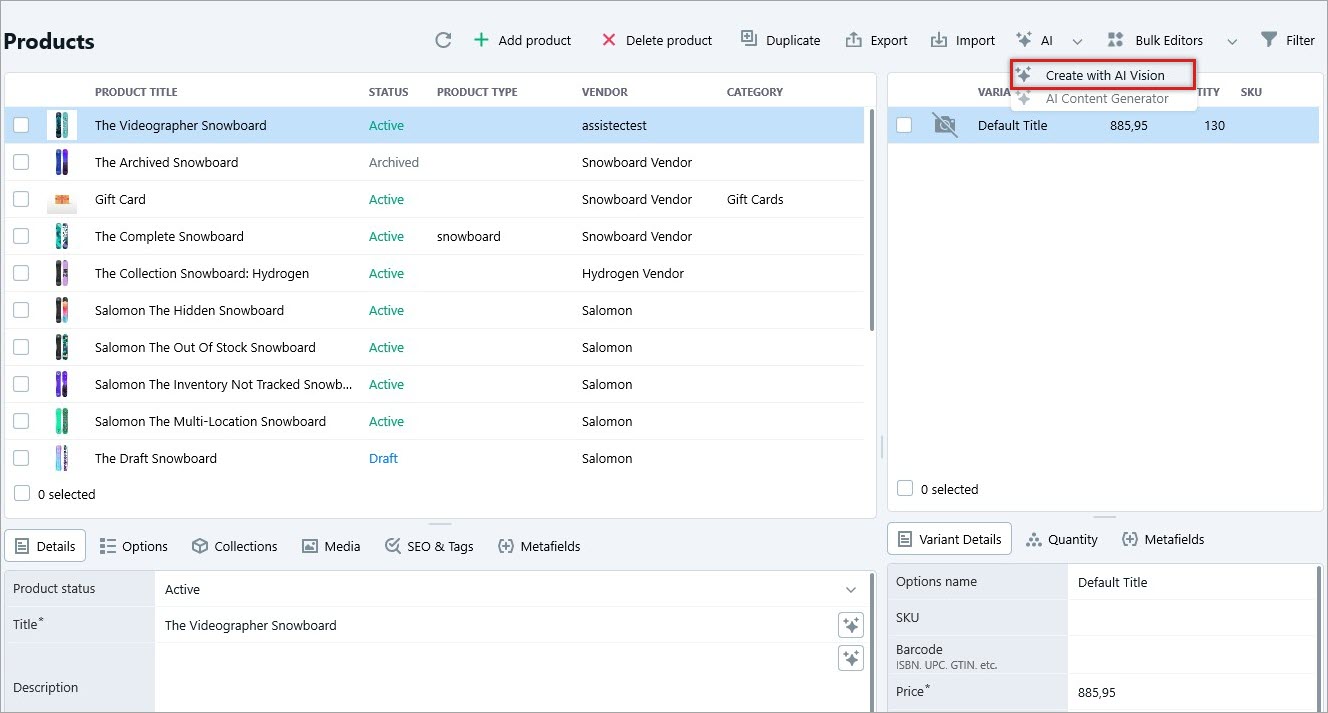
This opens the AI-powered assistant that analyzes images and prepares product data ready for Shopify listing creation.
Select the Images Folder
Once the wizard is open, you need to specify the images that will be used to generate product information.
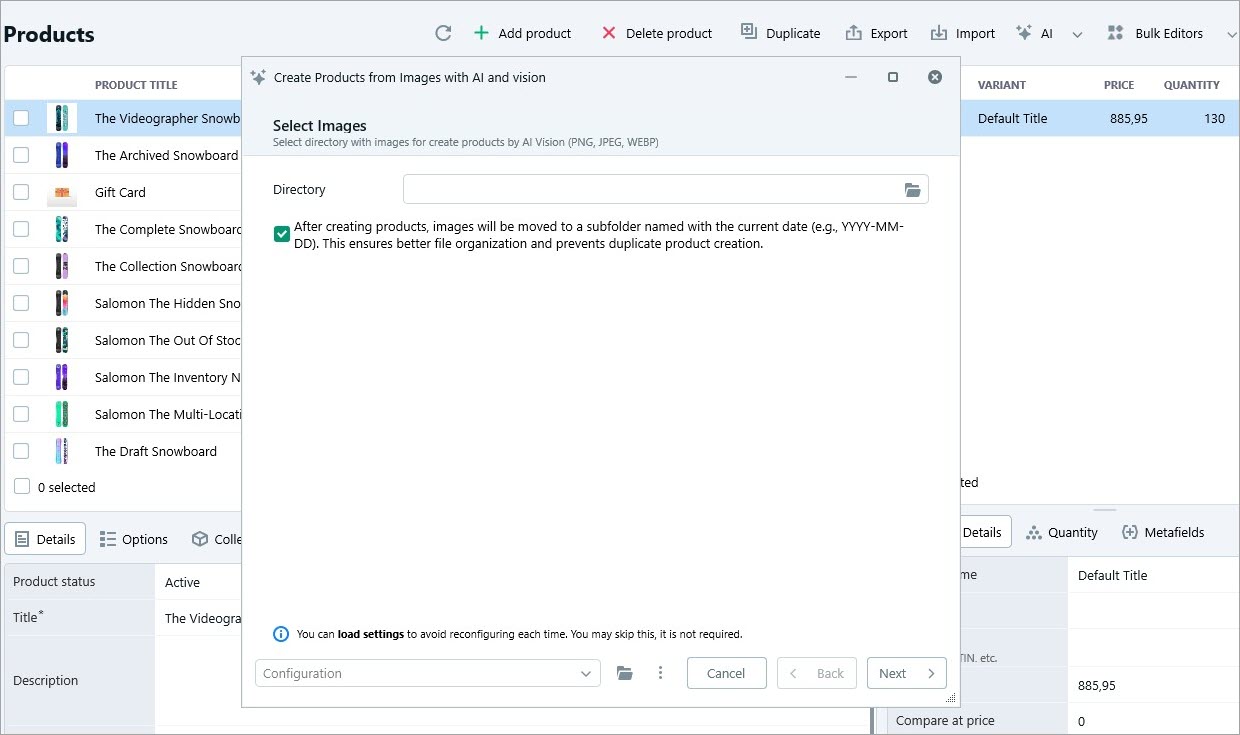
Click “Select Folder”, browse to the location on your PC where your product images are stored, choose the folder containing images for new products, and click “Next”.
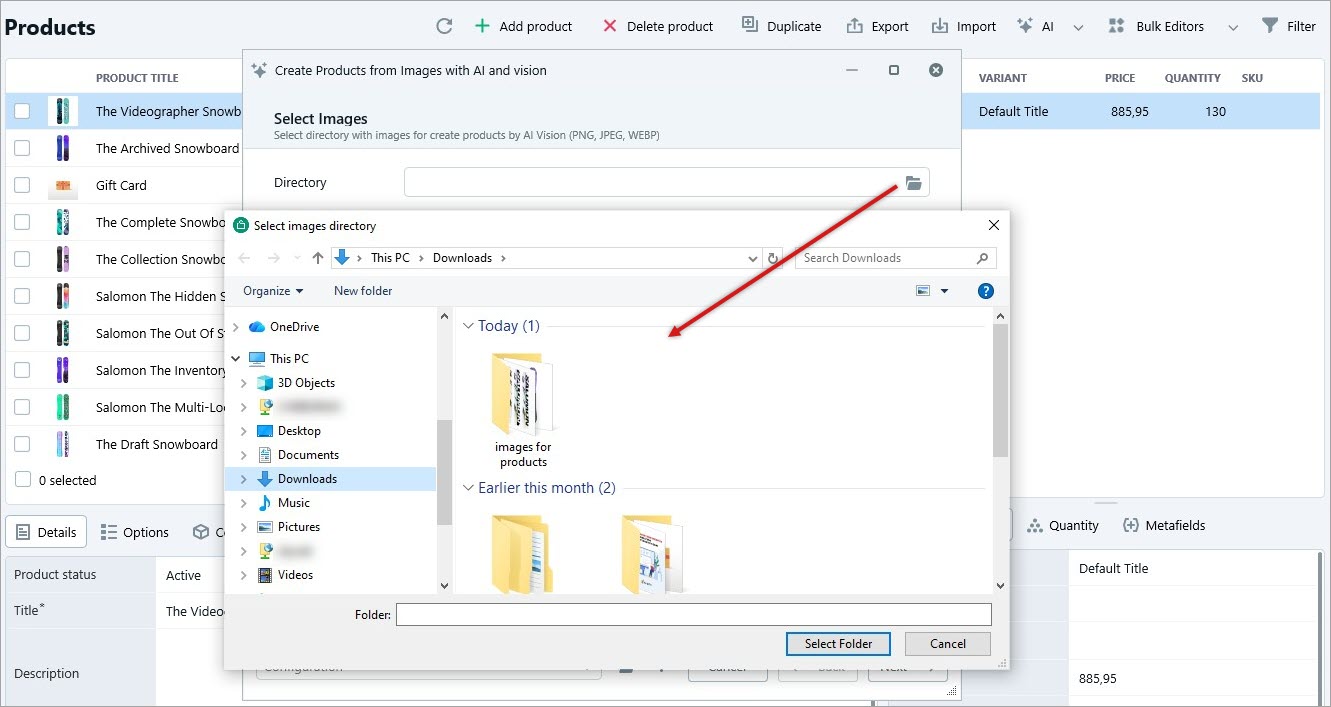
The selected images will now be prepared for AI processing.
Set Initial Product Values
Before Gemini generates product data, you can define initial values for the temporary Shopify product record. This allows you to properly structure your listings from the start. You can predefine the product title, description, price, quantity, category, and other key fields. After configuring the required values, click “Next”.
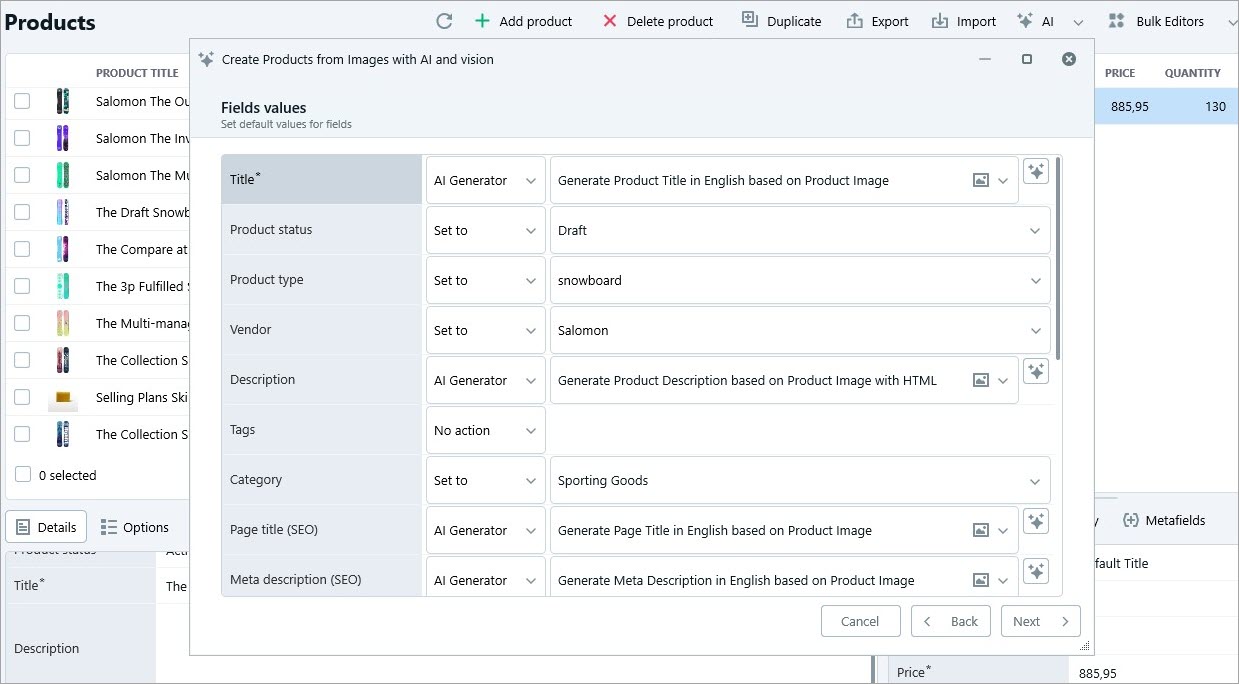
Prompts control how Gemini generates product titles, descriptions, specifications, and additional details. For optimal results:
- Choose pre-configured prompts that match your store’s tone and style
- Run test prompts to preview generated content
- Fine-tune prompt text to improve accuracy and relevance
You can also add new prompts, edit existing ones, or update the overall prompt structure if needed.
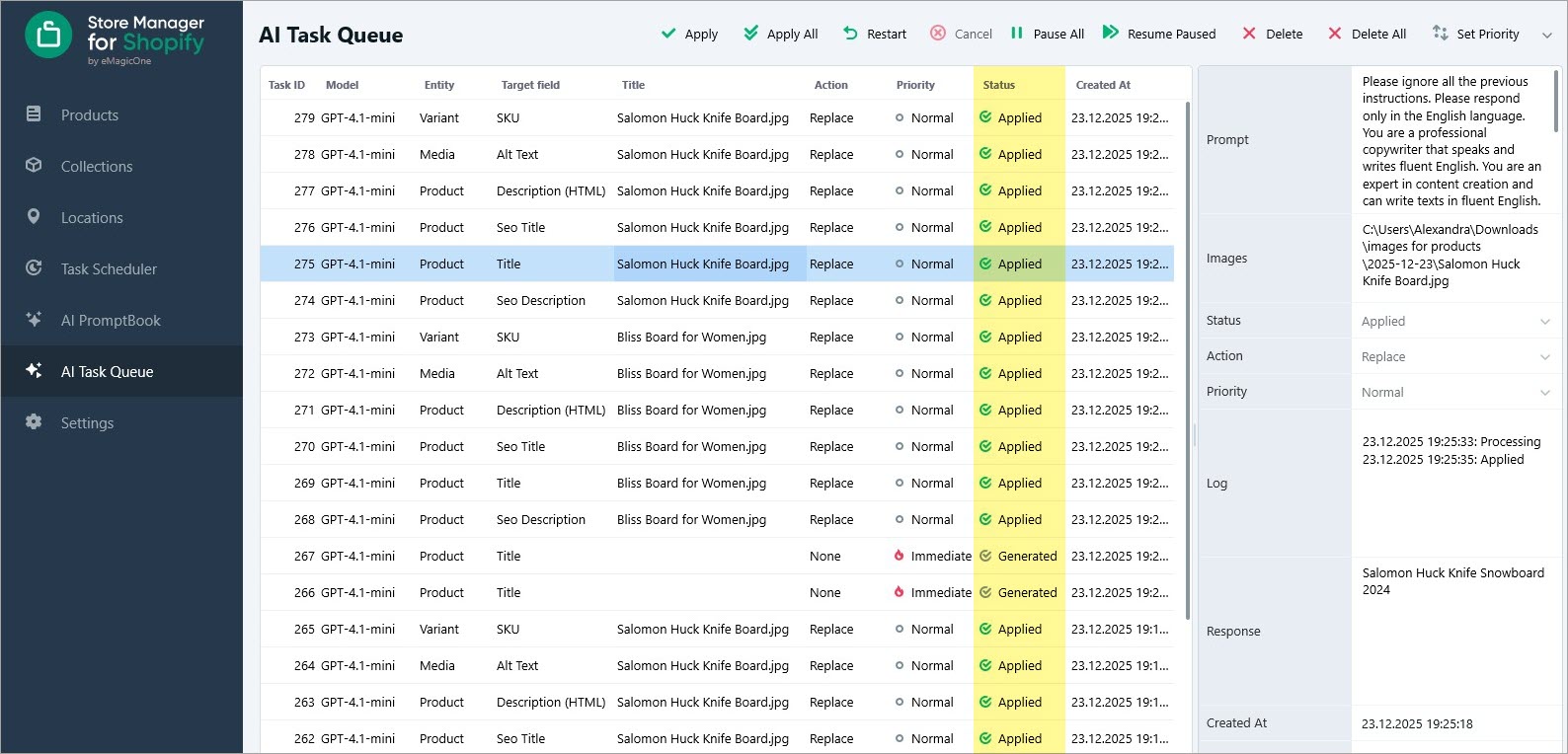
Once everything looks correct, proceed to data generation and click “Create”. Each field will be processed as a separate task in the AI Task Queue.
You may also save your configuration for future use by clicking “Save Configuration”.
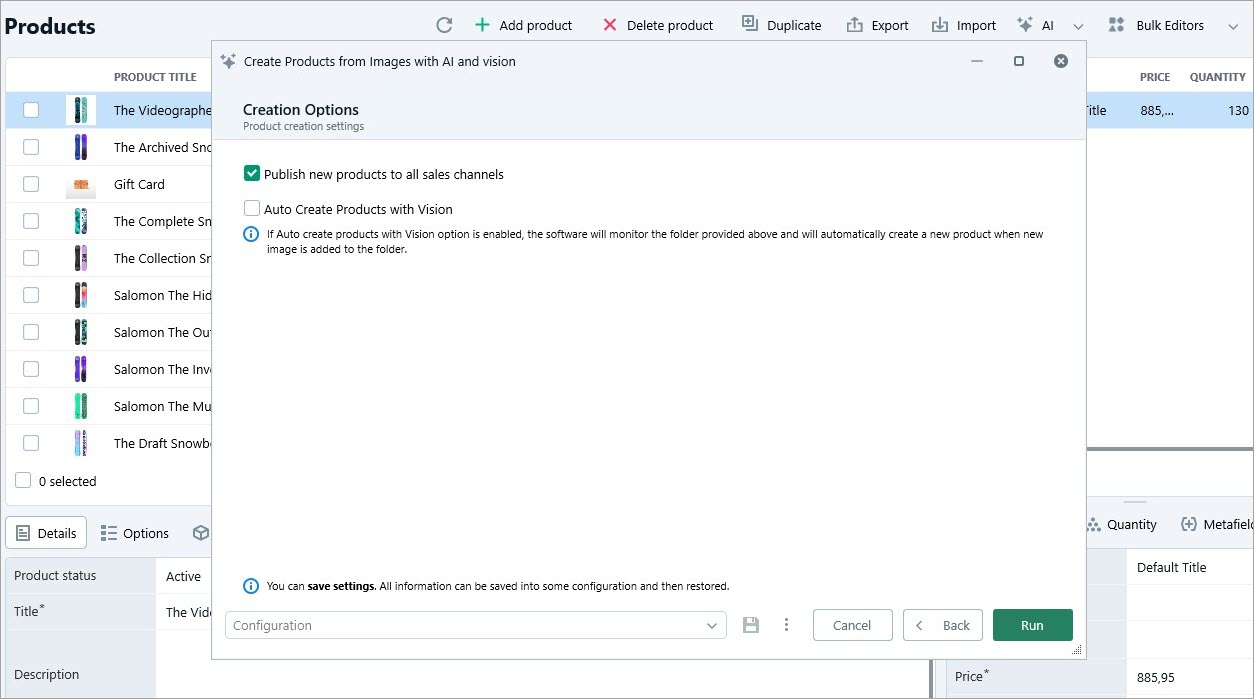
Enable the “Auto Create Products with Vision” option to automatically monitor the selected folder and create new products whenever new images are added. After confirmation, you’ll see the newly created Shopify products.
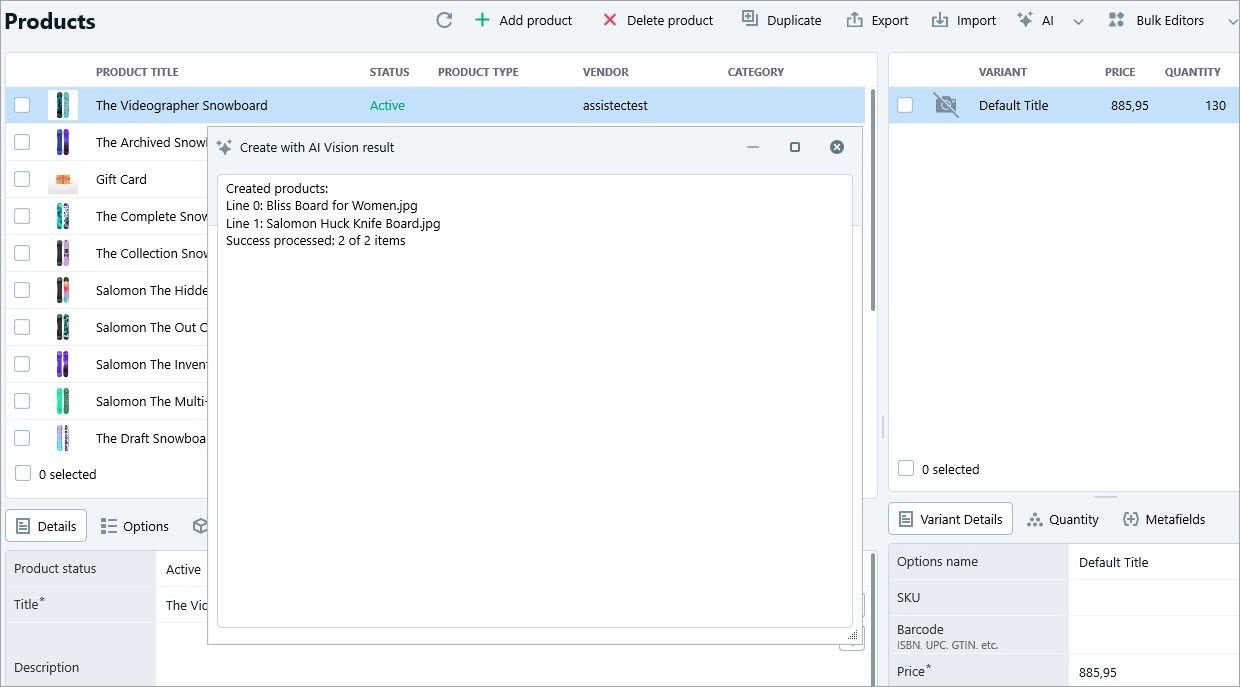
Processing speed depends on your Gemini plan, so allow all tasks to complete before continuing.
Monitor the Task Queue
Open the AI Task Queue to track the status of all generation processes. Make sure tasks show the Applied status and review the generated product titles, descriptions, and attributes.
Review Each Product Manually
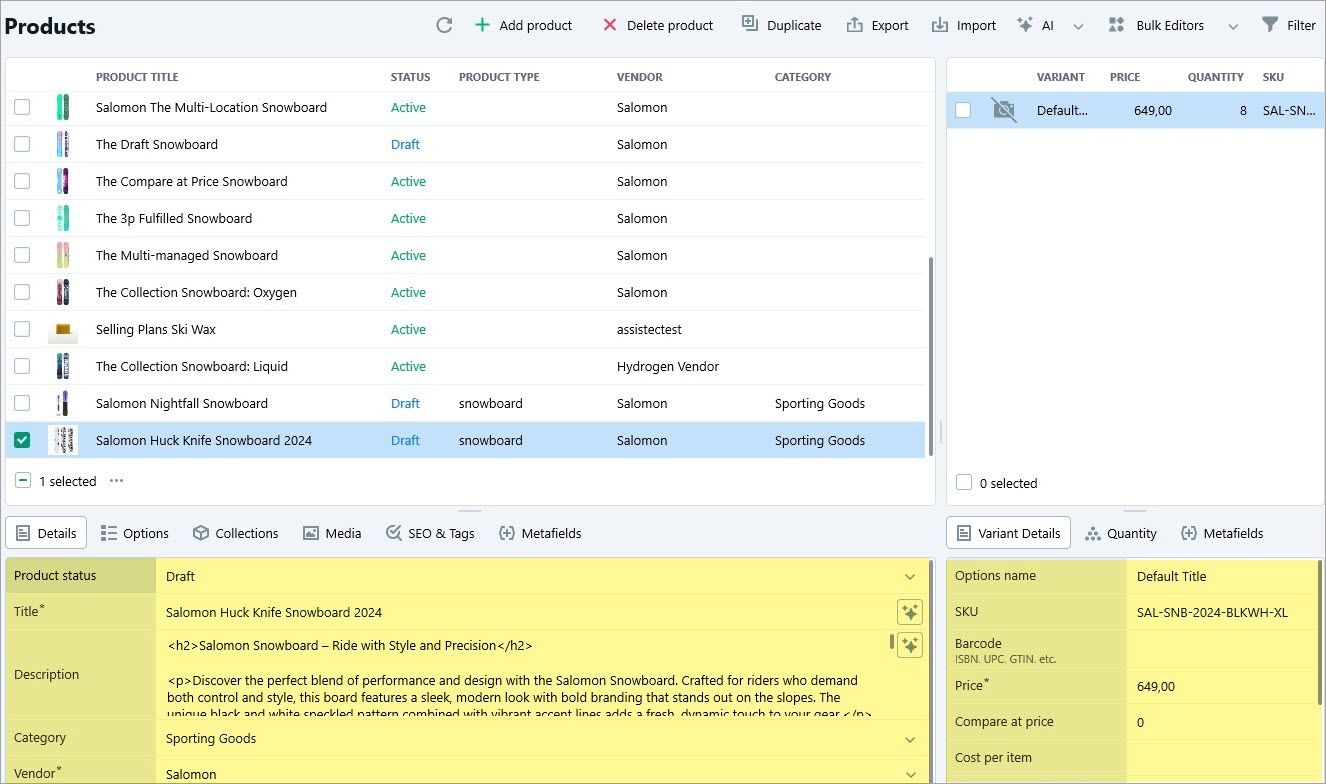
After the data is applied, your newly created Shopify products will appear in the Products section of Store Manager.
Although Google Gemini is highly capable, AI-generated content may occasionally include inaccuracies. To ensure top-quality listings:
- Open each product individually
- Review descriptions, specifications, and pricing
- Make adjustments where necessary
Using AI in Store Manager for Shopify dramatically speeds up product creation, especially when working with image-based catalogs. By creating Shopify products from images with Gemini Vision, you can quickly generate structured, informative, and engaging listings while maintaining full control over quality. Regular prompt optimization and manual review help ensure your content stays accurate, brand-consistent, and valuable to your customers.