
Generate Shopify Page Titles (SEO) with ChatGPT
Optimizing your Shopify store's page titles for SEO is crucial to increasing visibility and attracting customers. With Store Manager for Shopify, you can now leverage ChatGPT to generate optimized page titles based on your product titles in just a few clicks. Follow the steps below to automate and enhance your Shopify SEO strategy.
Step 1: Launch Store Manager for Shopify
Before generating Shopify page titles (SEO) with ChatGPT, open the Store Manager software. If you haven’t tried yet, it is a perfect time to download the free trial version.
Step 2: Select Products for Page Title Generation
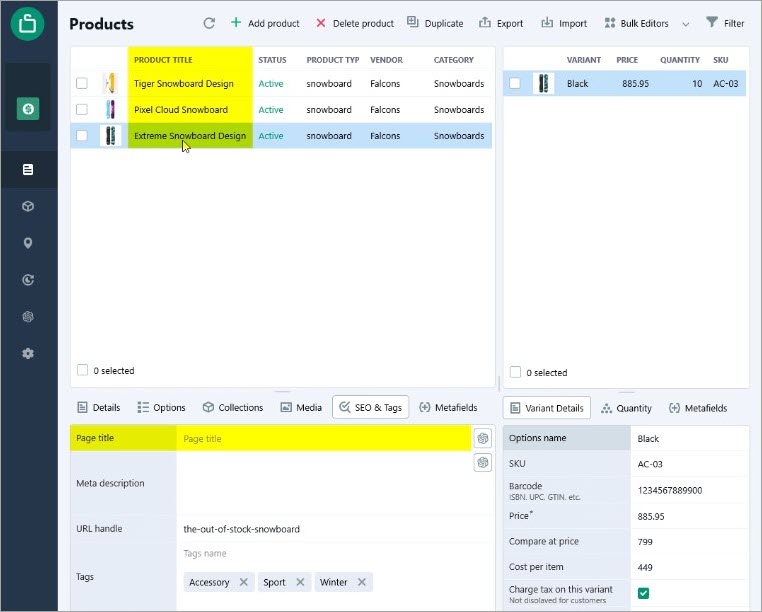
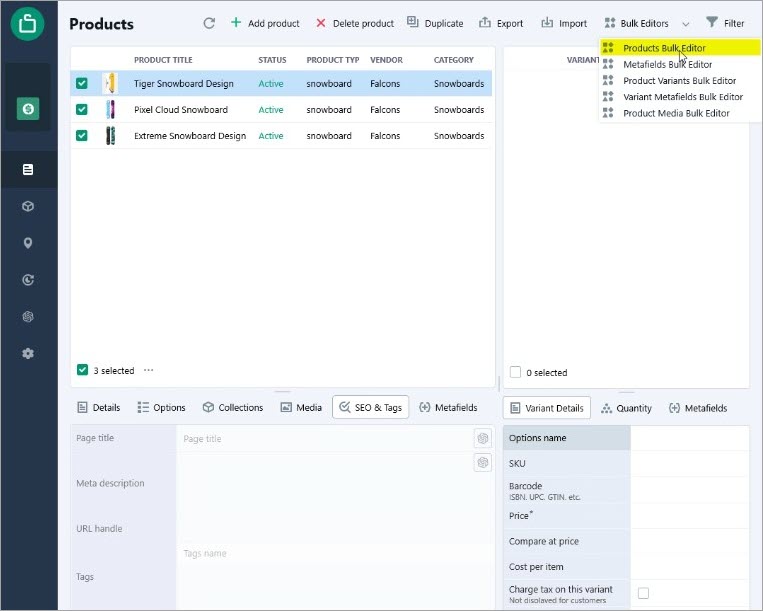
Step 3: Open the Products Bulk Editor
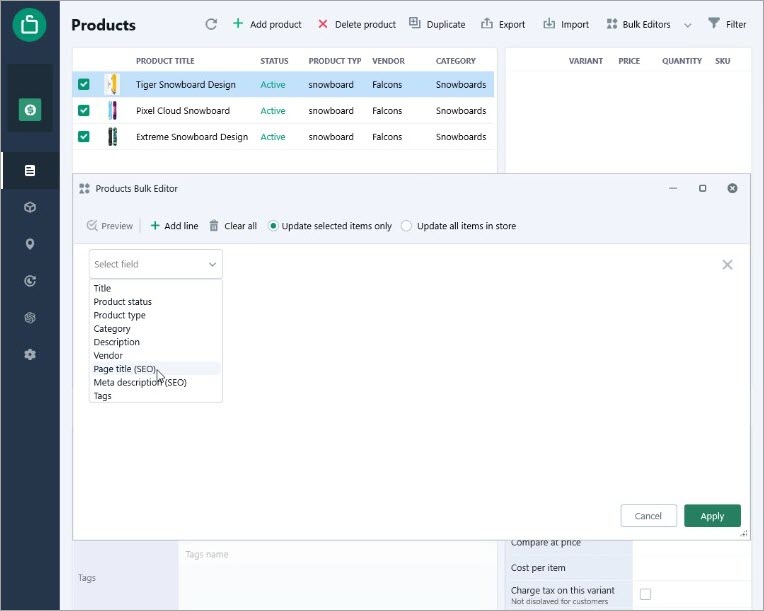
Step 4: Choose "Page Title (SEO)" and Set to ChatGPT
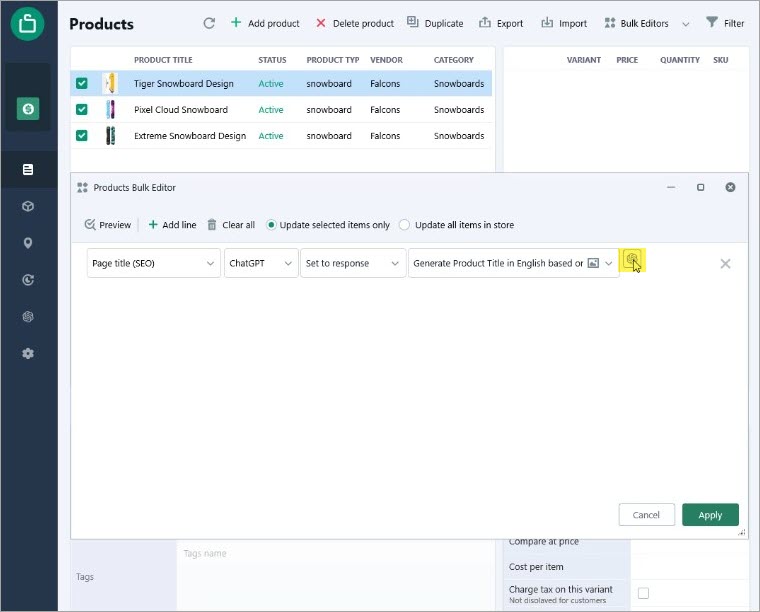
Step 5: Generate SEO Titles Using ChatGPT
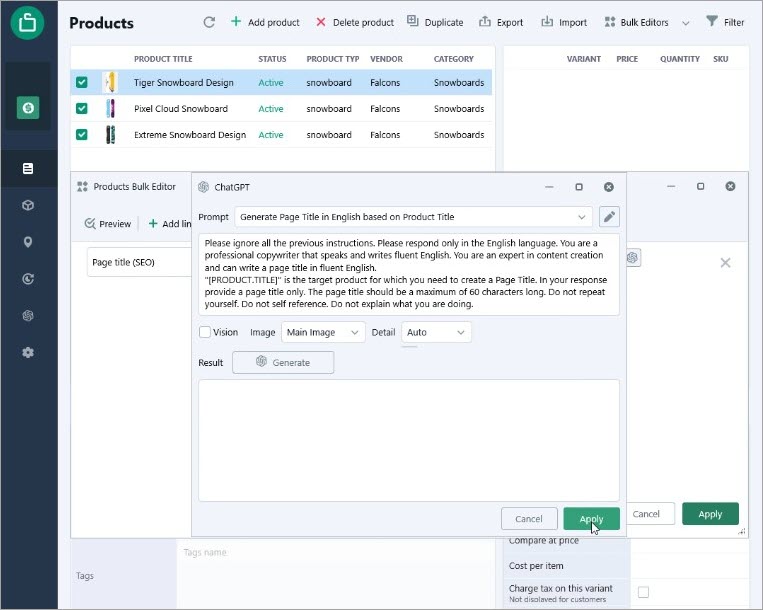
Click "Apply" twice to let ChatGPT generate an optimized page title for each selected product.
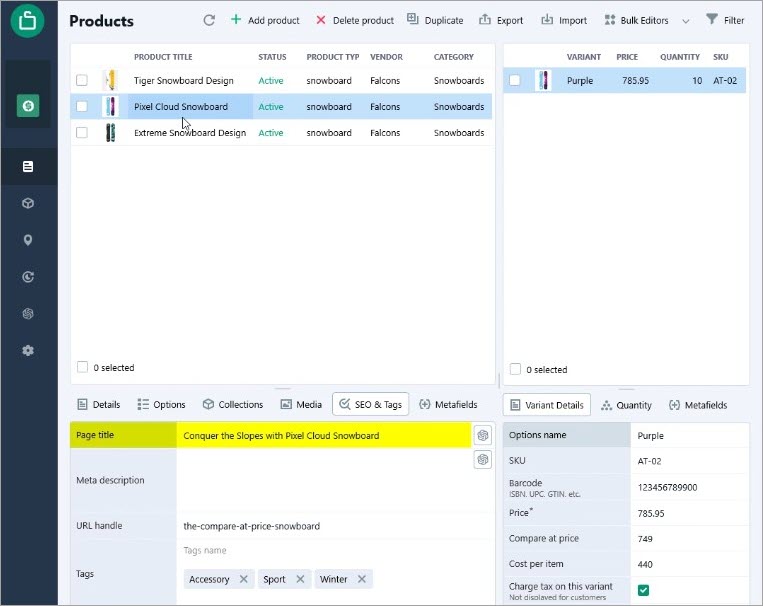
By using ChatGPT within Store Manager for Shopify, you streamline the SEO optimization process and improve product discoverability on search engines. This automation ensures that your page titles are compelling, relevant, and keyword-rich, enhancing both user experience and search rankings.
You can perform this action for all your products in bulk, generate any other data, translate product information into multiple languages, or enrich, proofread, or perform a spell check for your current product data using ChatGPT in bulk.
We hope this article was helpful in demonstrating how Store Manager for Shopify and the ChatGPT plugin can simplify your content generation process. Take advantage of our free trial and download Store Manager for Shopify with free ChatGPT today!
Important! ChatGPT will charge for every translation attempt. The cost depends on the number of characters as well as the number of attempts. Check your balance to make sure that you have enough funds to complete the procedure.