
How to Prepend Any Text to Shopify Product Titles in Bulk with Store Manager for Shopify
Managing product names effectively is crucial for optimizing your Shopify store. Whether you want to add a brand name, vendor, or other unique identifiers to your product titles, the Store Manager for Shopify application makes this task simple and efficient with its bulk editing feature. Instead of editing product names one by one, you can update them in bulk within minutes.
In this article, we'll guide you through the steps to prepend any text to Shopify product names in bulk by adding additional values like a brand name. Follow these instructions and learn how Store Manager for Shopify can help save you hours of manual work.
Why Update Product Names in Bulk?
Bulk editing product names can be particularly useful in these scenarios:
- Branding Consistency: add your brand name to every product title for a cohesive store appearance.
- Vendor Identification: highlight the vendor name for better customer recognition.
- SEO Optimization: include keywords to enhance your product visibility on search engines.
How to Update Product Names with any Text in Bulk with Store Manager for Shopify
Updating product names with Store Manager for Shopify is easy and can be done in just a few steps:
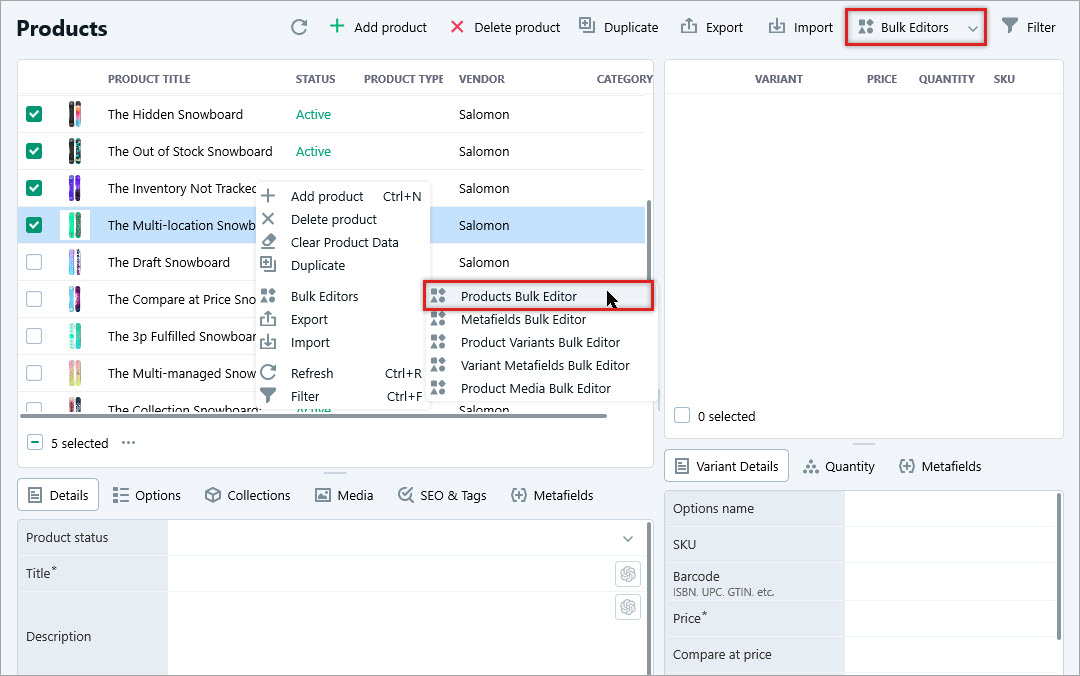
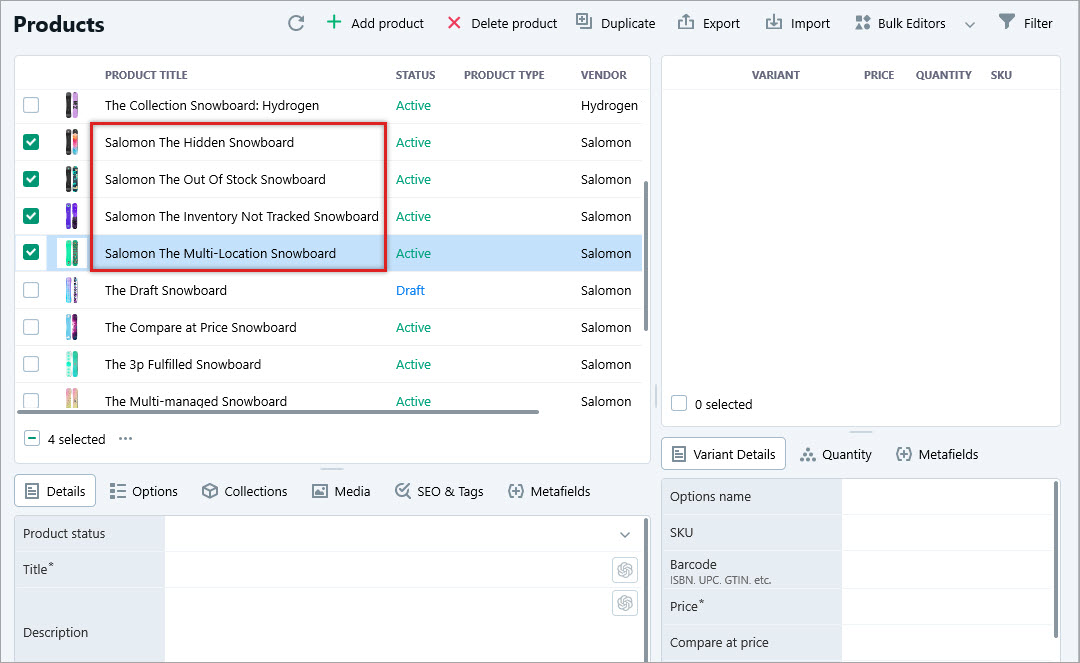
1. Select Products for Update and Open the Products Bulk Editor Tool
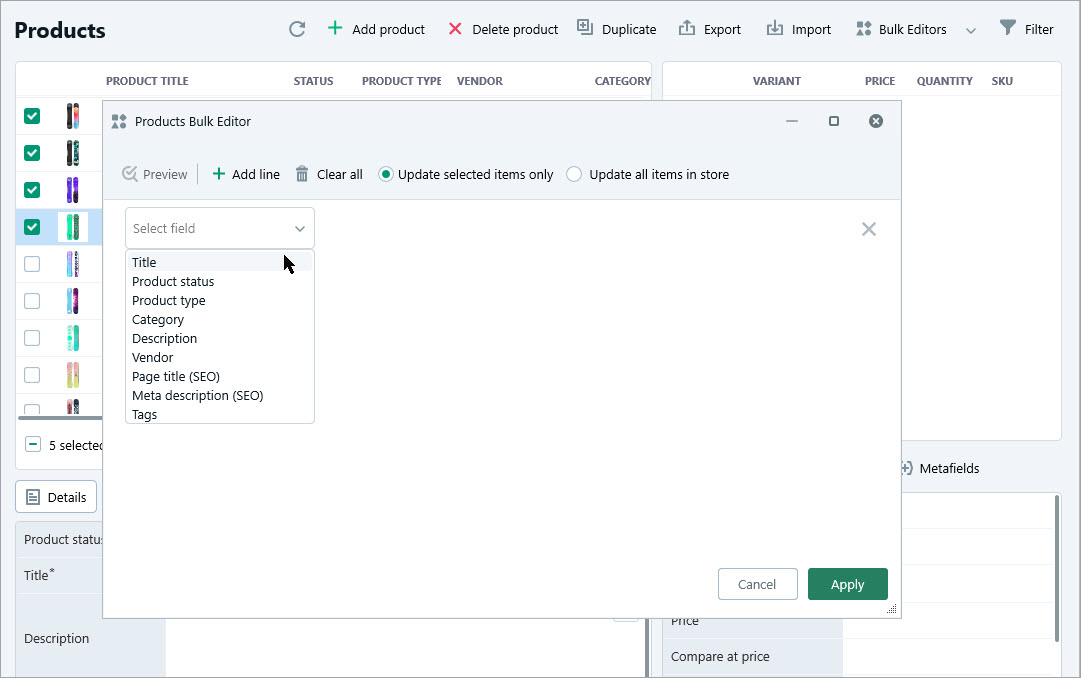
2. Select the “Title” Field
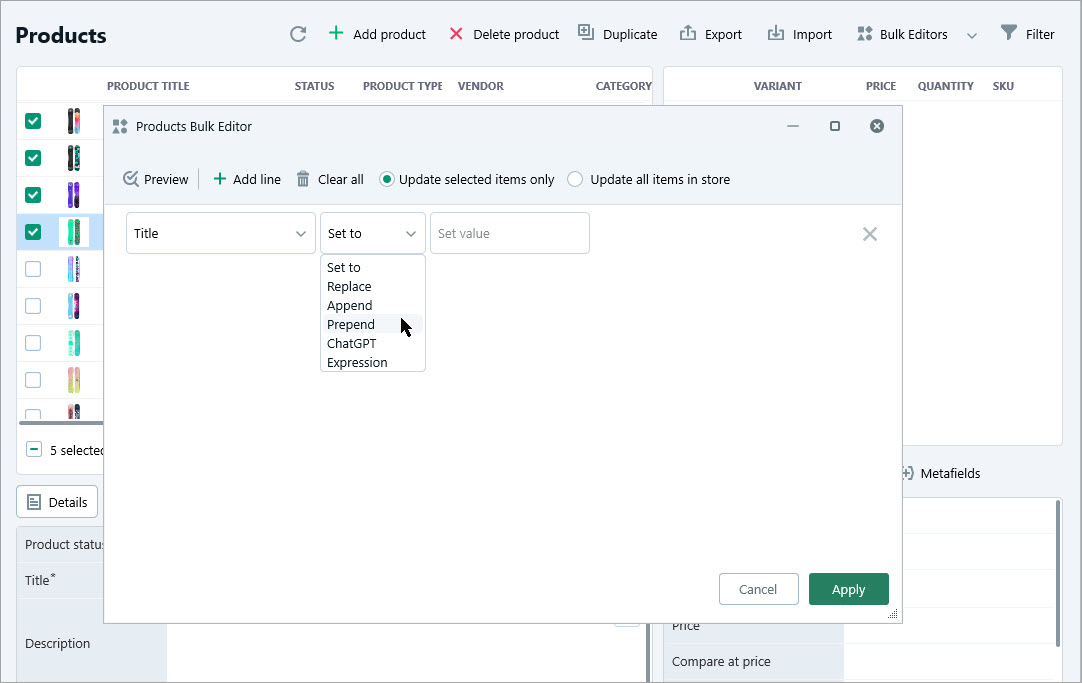
3. Choose the “Prepend” Option
4. Specify the Value to Add
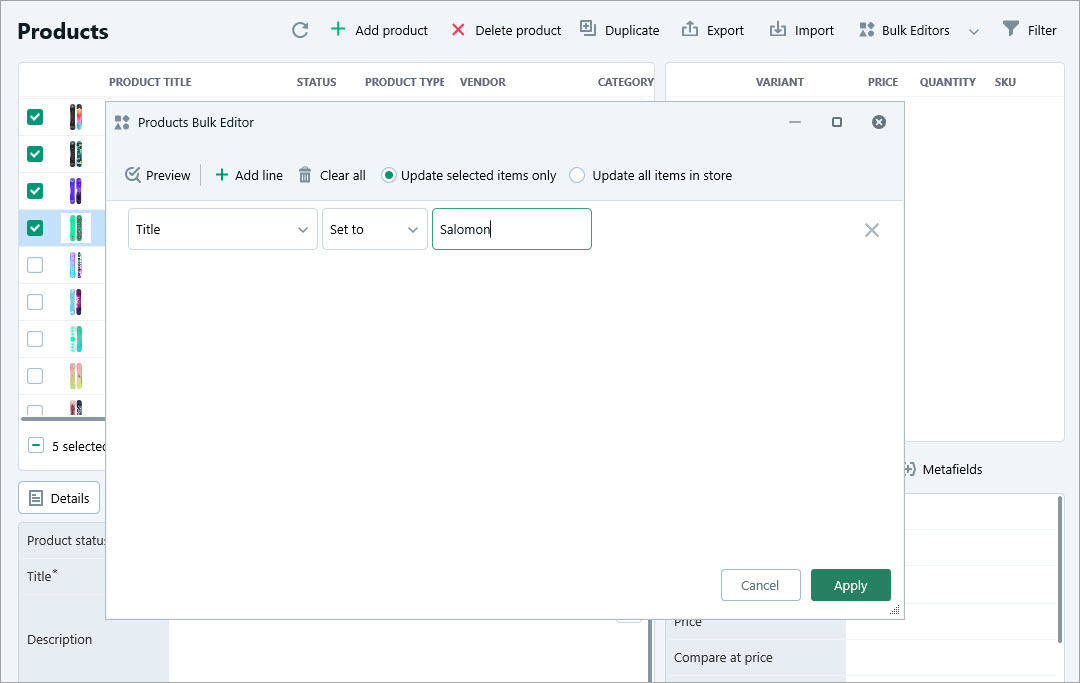
5. Apply the Changes
Ready to transform how you manage your Shopify store? With Store Manager for Shopify, you can bulk edit product titles, descriptions, and more with ease.
Take advantage of the free 14-days trial to explore the full functionality of the software. Test out the Products Bulk Editor Tool and experience how much time you can save managing your store.