



Manually optimizing product page titles for SEO can be a slow and inefficient process. That’s where Store Manager for Shopify comes in — a solution designed to simplify your workflow and improve your store’s online visibility.
With the integration of Google Gemini, you can now generate Shopify page titles based on product image in bulk. AI analyzes product images and creates compelling, keyword-rich titles that align with search intent. This automation not only saves valuable time but also delivers consistency and better performance in search engine rankings.
In this guide, we’ll walk you through the step-by-step process of page titles generation using Store Manager and its Gemini tool. Let’s get started!
Launch Store Manager for Shopify and Select Products for Title (SEO) Generation
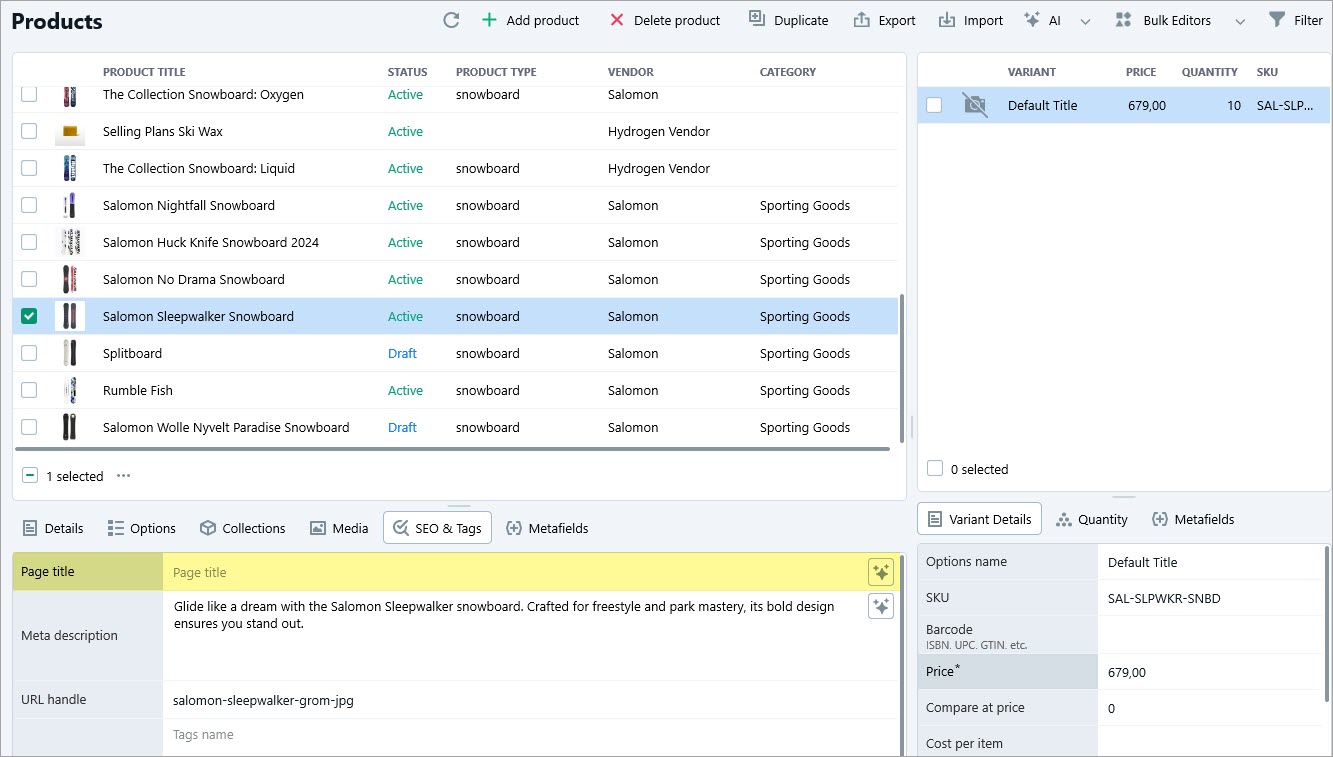
Start by opening Store Manager for Shopify, go to the Products section, and select the items for which you want to generate optimized page titles. Make sure the selected products have clear, high-quality images, as Gemini will generate titles based on visual analysis.
Open AI Content Generator and Select the Prompt
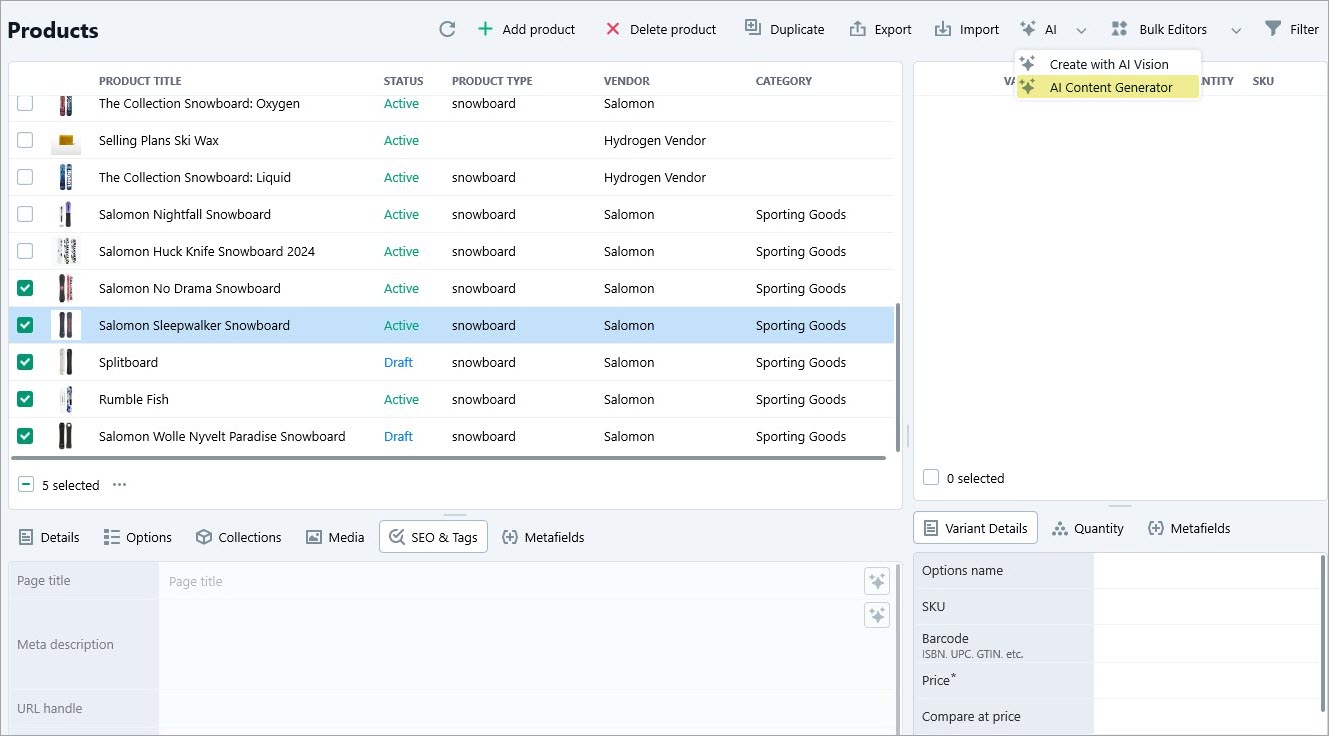
After selecting your products, open the AI Content Generator from the toolbar. The tool allows you to update multiple products at once.
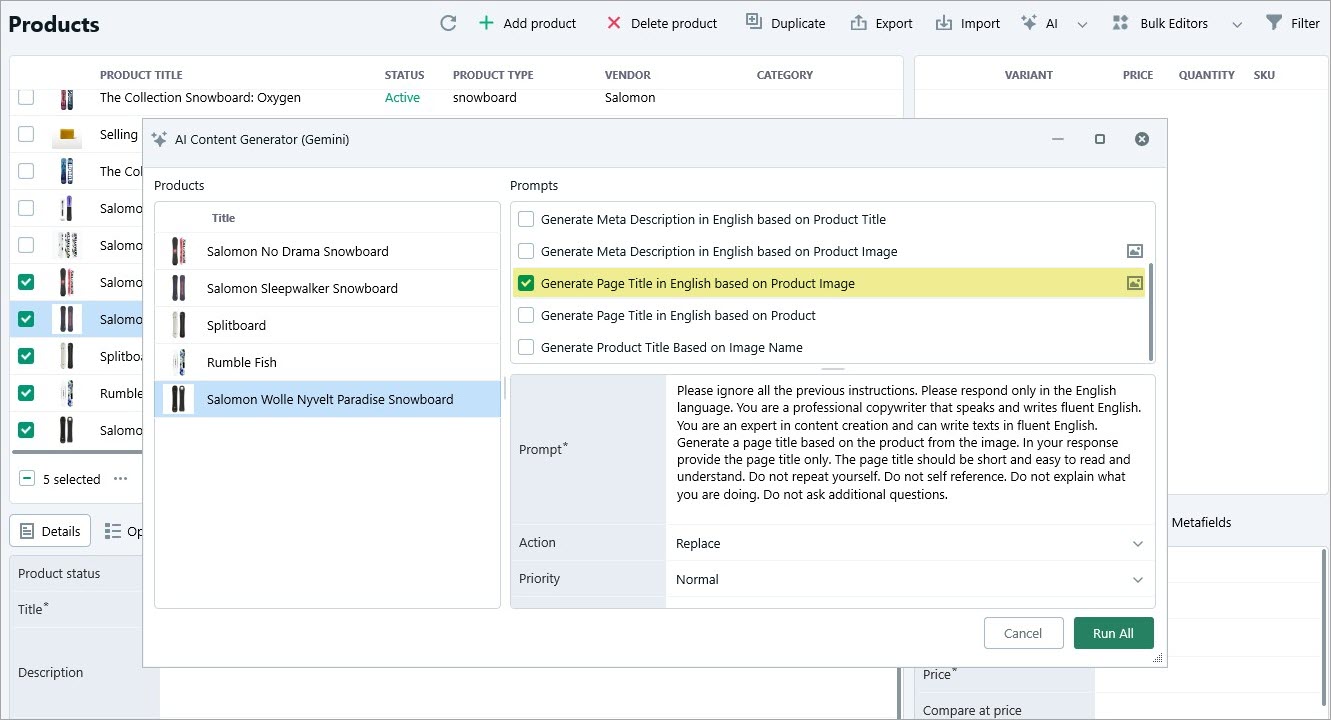
You’ll see the list of products on the left pane of the window, list of prompts, its settings on the right. The text of the prompt can be edited in the AI PromptBook menu in Store Manager. Select “Generate Page Title in English Based on Product Image” and specify whether to replace, append or prepend the page title with the help of Gemini. Specify the priority if needed.
Generate SEO-Friendly Page Titles Using Gemini
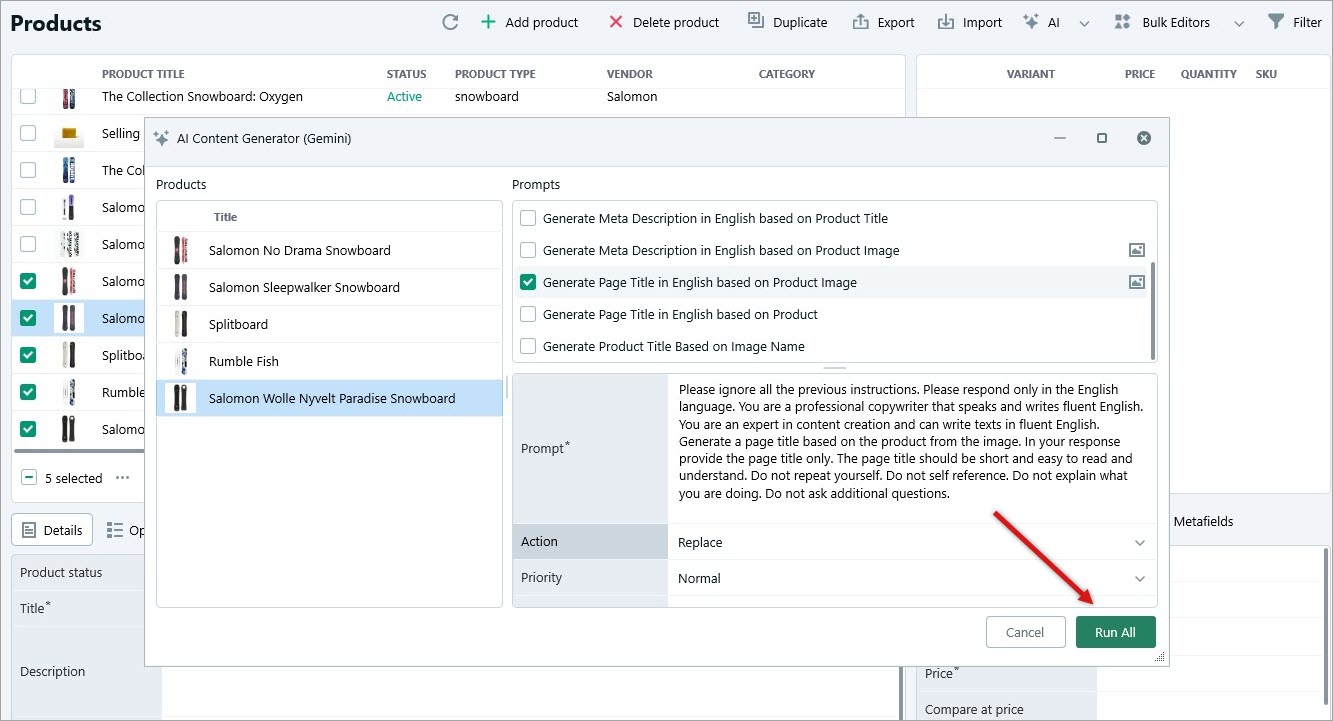
Once you are done with the settings, click “Run all”, and Gemini will analyze each product image and generate relevant page titles.
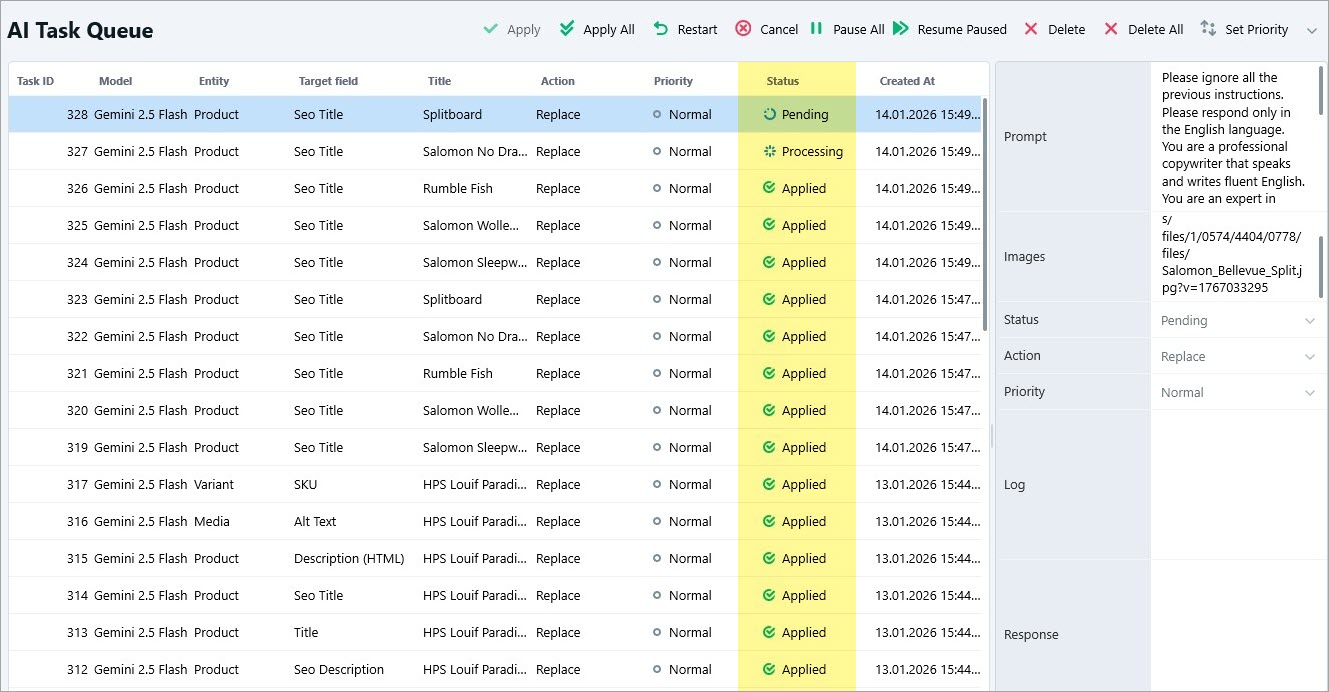
Then, go to the AI Task Queue and check the status. After Pending and Processing, it becomes Applied once the page title is generated. You will see the result in the Response field.
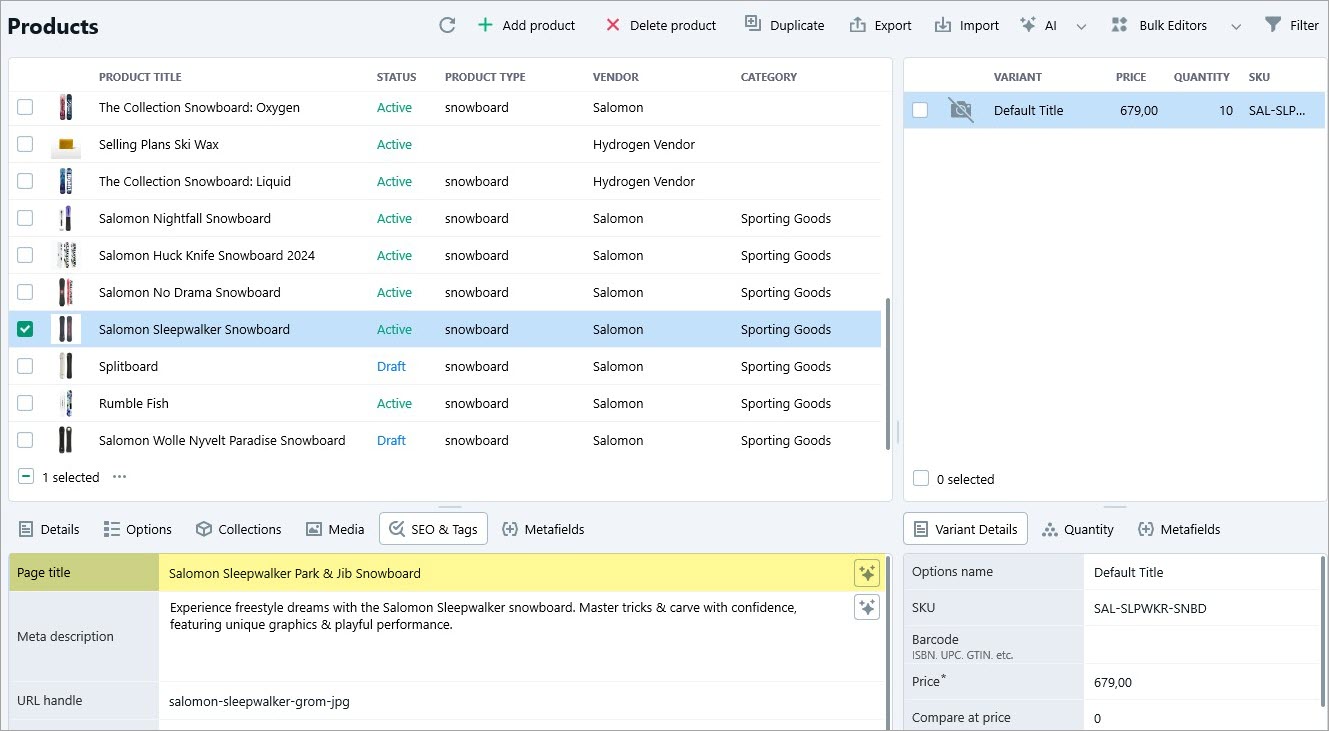
Now, you can check the generated titles in the product grid.
By using Gemini within Store Manager for Shopify, you can effortlessly generate high-quality Shopify page titles based on product images with Google Gemini. This ensures consistent, optimized titles that improve your store’s visibility and search performance. AI-generated page titles not only save time but also enhance product discoverability and help drive more sales.